
Top 7 Crypto Wallets 2026
With unique, active cryptocurrency wallets surpassing 820 million in 2025, finding the top 10 crypto wallets that balance security and usability has become significant. Recent high-profile hacks, including the $1.4 billion Bybit exchange breach, underscore why choosing the best crypto wallets matters to protect your digital assets.
We tested and reviewed dozens of crypto wallets. We got into security features and user experience among mobile, hardware and Web3 options. This brought us the best crypto wallet solutions for 2026.
Exodus – Best Crypto Wallet Overall

Image Source: Exodus
Exodus stands out among crypto wallets through its polished interface and multi-chain support across many networks. This self-custodial wallet launched in 2015 and supports over 260 cryptocurrencies across 50+ blockchain networks [1][1]. Users managing diverse portfolios will find it a strong contender.
Key Features
Exodus operates as a non-custodial software wallet and stores encrypted private keys on your device rather than external servers [1]. The wallet generates a 12-word recovery phrase during setup. This phrase serves as the master key for all derived addresses [1] and represents the single point of failure in Exodus’s security architecture. You bear full responsibility to implement secure backup procedures [1].
Platform availability distinguishes Exodus from many competitors. The wallet runs across Windows, macOS, Linux, iOS, and Android with ease [2]. A browser extension enables Web3 interactions, though it lacks the deep decentralised application integration found in dedicated Web3 wallets [1].
Built-in functionality extends beyond simple storage. Exodus has asset swaps through partnerships with services like Changelly and Coinbase [1]. You can exchange tokens without transferring assets to external platforms. This convenience comes with market-rate spreads though. The wallet also supports staking for major networks like Cardano (ADA), Solana (SOL), Cosmos (ATOM), and Ethereum (ETH) [3]. You can earn protocol rewards while maintaining custody of your keys.
Portfolio management features have live valuations across chains, historical performance charts, and transaction categorisation [1]. NFT collections can be managed within the interface. You get metadata viewing and transfer capabilities for digital collectibles [1].
Exodus integrates with hardware wallets from Trezor and Ledger for boosted security [1]. This pairing addresses the inherent vulnerabilities of hot wallet storage. Private keys stay on physical devices while you maintain Exodus’s user-friendly interface.
Pros and Cons
|
Pros |
Cons |
|
Clean interface across desktop, mobile, and browser platforms [1] |
No two-factor authentication or multi-signature support [1][1] |
|
Supports 250+ cryptocurrencies and tokens [1][1] |
Not open-source, preventing independent code audits [1] |
|
Built-in swaps, staking, and NFT management [3] |
Swap spreads typically 2-5%, higher than dedicated exchanges [1] |
|
Hardware wallet integration with Trezor and Ledger [1] |
Limited DeFi and dApp integration compared to Web3-focused wallets [1] |
|
24/7 customer support via email and live chat [1] |
Minimum swap limits can trap small amounts [1] |
|
Private keys stored on your device [1] |
Hot wallet architecture carries network connectivity risks [1] |
Pricing
Exodus charges no fees for downloading, receiving, or storing cryptocurrency [1][4]. Several costs apply during active use though. Blockchain networks impose transaction fees when you transfer crypto off Exodus. Amounts vary based on network congestion [1].
Swap costs typically range from 2-5% depending on liquidity and trading pairs [1]. This exceeds fee structures on dedicated exchanges. Exodus earns revenue from these swap spreads routed through third-party providers [3]. The full quote appears before you confirm each transaction and has spread and network fees.
Staking supported assets generates passive rewards, though availability and terms vary by chain [3]. Fiat purchases through integrated partners like Moonpay, Ramp, and Sardine add their own percentage fees to each transaction [4].
Best For
Exodus serves multi-chain investors who prioritise ease of use over maximum security isolation [1]. The wallet suits people managing moderate asset values who execute transactions weekly rather than maintaining long-term cold storage positions [1].
Beginners migrating crypto portfolios off major exchanges will appreciate the access to assets [1]. The polished interface and 24/7 human support lower the technical barrier to self-custody [4]. Large holders wanting keys offline at all times should think about dedicated hardware solutions though [3].
Exodus delivers a compelling balance between convenience and control among the best crypto wallets available for cross-chain portfolio management with built-in services.
Zengo – Best Crypto Wallet for Beginners
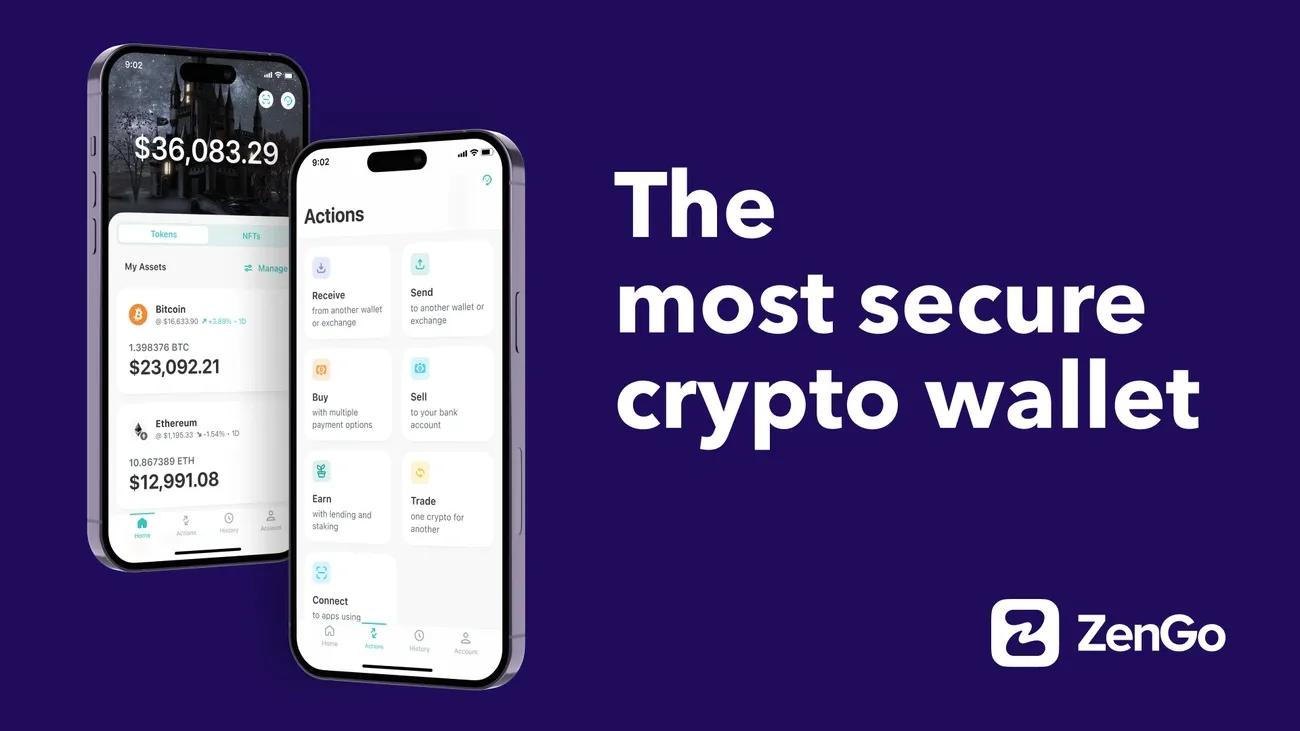
Image Source: Zengo wallet
Zengo reimagines crypto security by eliminating the seed phrase vulnerability that plagues traditional self-custodial solutions. This mobile-first wallet was founded in 2018 and employs Multi-Party Computation (MPC) cryptography instead of private keys. It addresses the leading cause of crypto loss among newcomers to the space.
Key Features
Zengo operates without any private keys stored on your device or their servers, which sets it apart from conventional crypto wallets. The wallet splits cryptographic authority into two unique signatures through MPC technology [1]. Your phone holds one signature while the other lives on Zengo’s infrastructure. Both signatures must cooperate to authorise transactions and remove any single point of failure [1].
Recovery follows a modern approach rather than relying on 12-word phrases. Your account protection combines three factors: email access, a recovery file backed up to iCloud or Google Drive, and 3D FaceLock biometric verification [1]. This Three-Factor Authentication (3FA) system allows full wallet recovery even if you lose your device. Seed phrases remain protected from theft or phishing attacks [1].
Zengo’s security record speaks for itself. Zero Zengo wallets have been hacked since launch [1]. The company challenged hackers to steal 10 BTC from a test wallet. Despite over 200 attempts, none succeeded [1]. The cryptography library is open-source and undergoes regular professional audits [1].
Asset support covers over 180 cryptocurrencies, tokens and NFTs across multiple chains [1]. The wallet handles all ERC-20 tokens, though some require external platforms for viewing [1]. Like other multi-chain wallets, Zengo provides built-in swaps through its partnership with Changelly [1].
Staking capabilities let you earn passive rewards on holdings. Ethereum staking delivers up to 8% APY while Tezos offers variable APR (currently 5.32%) [1]. Zengo implements flexible staking with no lockup periods, which allows you to withdraw staked assets anytime [1].
The Zengo Pro subscription unlocks advanced features for power users. Legacy Transfer stands out as a unique offering and enables you to designate a recipient who receives your crypto assets after a specified inactivity period between 3 and 24 months [1]. Additional Pro benefits include transaction approval thresholds, Web3 firewall protection against malicious dApps and priority customer support with sub-five-minute response times [1].
Pros and Cons
|
Pros |
Cons |
|
No seed phrase vulnerability through MPC security [1] |
Cannot export private keys to other wallets [4] |
|
Zero hacks since 2018 launch [1] |
Recovery depends on Zengo’s infrastructure remaining operational [4] |
|
Easy-to-use interface with 3D FaceLock [1] |
Crypto purchase fees range from 6.6% to 12.51% [1] |
|
Supports 180+ crypto assets and NFTs [1] |
Limited support for non-Ethereum ecosystems like Solana [4] |
|
Flexible staking with no lockup periods [1] |
Requires email registration, not fully anonymous [5] |
|
Legacy Transfer for crypto inheritance (Pro only) [1] |
Swap fees average 2.2% of transaction amount [1] |
|
Available in 188+ countries [6] |
Advanced DeFi controls limited compared to power-user wallets [4] |
Pricing
Zengo charges no fees for depositing, withdrawing or storing cryptocurrency [2]. Blockchain network fees apply to all transactions as payments to miners rather than Zengo [2].
|
Feature |
Zengo Essentials |
Zengo Pro |
|
Monthly Cost |
Free |
AUD 30.56 [1] |
|
Annual Cost |
Free |
AUD 198.75 [1] |
|
Crypto Purchase Fees |
Standard rates |
50% discount, as low as 2% [2] |
|
Customer Support |
Standard (1-hour response) |
Priority (sub-5-minute response) [1] |
|
Gas Refills |
Not available |
Limited free gas for Ethereum Layer-2 [2] |
|
Multiple Wallets |
One wallet only |
Up to five segregated wallets [1] |
|
Web3 Firewall |
Not available |
Full protection and warnings [1] |
|
Legacy Transfer |
Not available |
Included [1] |
Buying crypto through integrated providers carries processing fees, spreads and potential gateway charges from payment processors [2]. Zengo Pro members receive up to 50% off purchase fees [2], with rates starting at just 2% on most assets [2]. Swap transactions average 2.2% in fees based on asset and amount [1].
Best For
Zengo targets beginners entering self-custody who find seed phrase management intimidating [1]. The wallet suits everyday users focused on major cryptocurrencies who prefer modern app experiences over technical key handling [4].
Security-conscious individuals seeking redundancy from exchange storage will appreciate the MPC architecture and guaranteed recovery process [1]. The Legacy Transfer feature makes Zengo valuable for long-term holders planning estate considerations [1].
Power users requiring full private key control or extensive DeFi protocol access should review whether Zengo’s simplified approach meets their needs [4]. Traders dealing with non-Ethereum ecosystems may require supplementary wallet solutions [4].
Trust Wallet – Best Mobile Crypto Wallet

Image Source: Trust Wallet
Trust Wallet launched as an Ethereum wallet in 2017 and evolved into a mobile-first multi-chain platform after Binance acquired it in 2018 [1]. The wallet now serves over 200 million users [7] and offers self-custodial asset management across more than 100 blockchains [8].
Key Features
Trust Wallet operates as a non-custodial solution and stores encrypted private keys on your device using AES encryption standards [5]. The wallet supports over 10 million digital assets and 600 million NFTs [3]. Most ERC-20 and BEP-20 tokens are detected without manual configuration [9]. This extensive coverage spans major networks like Bitcoin, Ethereum, BNB Smart Chain, Solana, Polygon, Avalanche, and Cardano [8].
The built-in dApp browser stands out among crypto wallets. You can interact with DeFi protocols, NFT marketplaces, and Web3 applications from your mobile device [8]. This browser eliminates the need to switch between multiple applications when you access decentralised exchanges like Uniswap or PancakeSwap [10].
Staking functionality supports more than 20 proof-of-stake assets. Annual percentage yields range from 3% to 8% [3]. The wallet has an earnings estimator to project potential rewards before you commit tokens [3]. You can generate passive income on holdings like BNB, ETH, ADA, and SOL without transferring assets to external platforms.
Trust Wallet introduced Gas Sponsorship in 2026. The feature covers swap gas fees when your native token balance reaches zero [5]. You receive four gas-free swaps daily on BNB Chain (no minimum), Solana (minimum 200 USD), and Ethereum (minimum 50 USD) [5]. This feature removes a common barrier if you have tokens but lack the native cryptocurrency needed to execute transactions.
Security measures have biometric authentication through fingerprint or facial recognition [1] and transaction approval requirements. A Security Scanner examines addresses for phishing risks before you confirm transfers [1]. The scanner monitors threats for the platform’s 190 million user base [1]. The wallet supports hardware integration with Ledger devices for extension-based signing [7] and pairs hot wallet convenience with cold storage security.
Multi-wallet management allows you to maintain up to 15 separate wallets within one application [5]. This simplifies portfolio organisation for personal and business asset segregation.
Pros and Cons
|
Pros |
Cons |
|
Supports 10M+ assets across 100+ blockchains [3] |
No two-factor authentication creates security gap [3] |
|
Built-in dApp browser for mobile Web3 access [8] |
Customer support response times often slow [3] |
|
Gas Sponsorship covers fees for zero-balance swaps [5] |
Browser extension less powerful than mobile app [3] |
|
Free to use with no subscription charges [3] |
Fiat purchase fees range 3.5% to 5.5% [7] |
|
Staking yields 3-8% APY on 20+ cryptocurrencies [3] |
Performance lags during network congestion [3] |
|
Security Scanner warns against risky transactions [1] |
Supporting millions of tokens has low-quality projects [3] |
|
Open-source code available for audits [3] |
Mobile-centric design offers weaker desktop features [3] |
Pricing
Trust Wallet charges zero fees for downloading, storing, or managing cryptocurrency [3]. Network transaction fees go to blockchain miners and validators, not to the wallet [11]. These gas fees fluctuate based on network congestion and blockchain activity.
Swap transactions incur no wallet fees, though network gas fees and third-party liquidity provider costs apply [7]. Fiat purchases through integrated providers like MoonPay and Ramp carry fees between 1.40% for bank transfers and 5.5% for card purchases [7]. Payment processing adds 3.5% to 5% for card transactions [7].
Staking supported assets generates no wallet charges, though some protocols may impose their own validator fees [5].
Best For
Trust Wallet serves mobile-focused users who prioritise multi-chain portfolio management and Web3 exploration [7]. The wallet suits people who engage with DeFi protocols, NFT marketplaces, and decentralised applications without maintaining separate tools [3].
New crypto users benefit from the easy-to-use interface and helpful onboarding process [8], though the absence of two-factor authentication demands careful device security practises. The wallet appeals to privacy-minded people seeking full asset control without third-party custody [8].
The Gas Sponsorship feature makes Trust Wallet valuable for frequent traders who swap tokens across multiple chains. Users holding substantial long-term positions should pair mobile access with hardware wallet integration for better protection [3].
MetaMask – Best Web3 Wallet
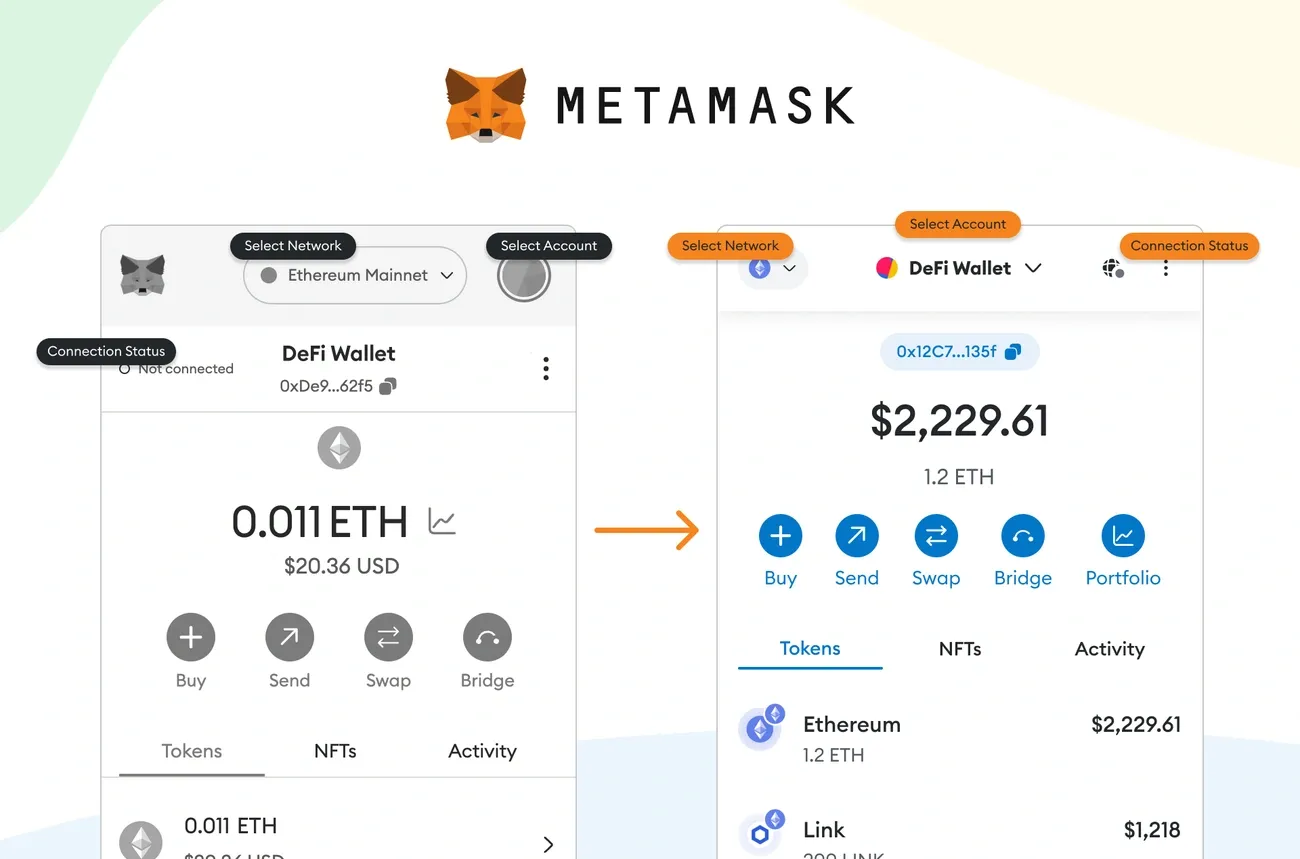
Image Source: MetaMask
MetaMask dominates the Web3 wallet landscape with over 30 million active users as of 2024 [2]. It has established itself as the gateway to Ethereum’s decentralised application ecosystem. This non-custodial wallet launched as a browser extension and has evolved into a multi-platform solution that bridges traditional browsers with blockchain networks.
Key Features
MetaMask functions as a browser extension for Chrome, Firefox, Brave, Edge, and Safari. It also offers dedicated mobile applications for iOS and Android [12]. This cross-platform availability enables continuous interaction with decentralised applications whatever your preferred device. The wallet stores encrypted private keys on your device rather than external servers [12]. You retain complete control over digital assets.
The wallet supports Ethereum and all ERC-20, ERC-721, and ERC-1155 tokens [6], plus EVM-compatible networks like Polygon, Arbitrum, and BNB Chain. MetaMask now handles SOL and SOL-based tokens [6]. Non-EVM chains including Bitcoin require Snaps, third-party extensions that expand network compatibility [12]. This Snaps marketplace represents a change toward modular functionality and adds custom signing behaviours, risk assessment tools, and transaction simulations [4].
The Portfolio dashboard unites holdings across chains, displays NFT collections, and provides shortcuts for staking and bridging [4]. This interface offers cleaner asset tracking than the standard extension pop-up. Smart Transactions improve trade execution by protecting against front-running, while Smart Accounts introduce account abstraction features like sponsored gas and social recovery [4].
MetaMask Card launched in 2025 and operates as a Mastercard-linked debit card in select regions including Europe, Latin America, and portions of North America [12]. The card supports limited tokens such as USDC, WETH, and USDT on the Linea network. Manual swaps are required before spending. Users receive 1% cashback paid in the same token [12].
Hardware wallet integration supports Ledger, Trezor, and NGRAVE devices [12]. This combines cold storage security with MetaMask’s interface convenience for dApp interactions.
Pros and Cons
|
Pros |
Cons |
|
Supports 500,000+ tokens across major networks [2] |
|
|
Browser extension enables continuous dApp access |
No built-in two-factor authentication [12] |
|
Snaps marketplace adds modular functionality [4] |
Hot wallet design brings security risks |
|
Hardware wallet compatibility with multiple brands [12] |
15% fee on staking rewards before final rate shown [4] |
|
Portfolio dashboard tracks multi-chain holdings [4] |
MetaMask Card limited token support and regions [12] |
|
Open-source code available to audit [12] |
Privacy concerns with default data collection settings [13] |
Pricing
MetaMask charges no fees for wallet use. But active features carry specific costs. Swaps incur a 0.875% service fee factored into each quote [6][12][13], which exceeds many direct DEX rates. Staking through MetaMask Pooled Staking takes a 15% cut of rewards before displaying the final rate [4].
Network gas fees apply to all transactions, around AUD 0.02 on networks like Linea [9]. Fiat purchases add a 1% MetaMask markup plus third-party gateway fees [12].
Best For
MetaMask suits heavy DeFi users, NFT traders, and multi-network explorers who value dApp compatibility [4]. The wallet serves people who engage with Ethereum’s ecosystem rather than passive holders. Beginners may struggle with the technical interface, while fee-sensitive traders should think over alternatives for frequent swaps [4]. Users holding substantial portfolios require hardware wallet pairing to alleviate hot wallet vulnerabilities.
Ledger Nano X – Best Hardware Crypto Wallet
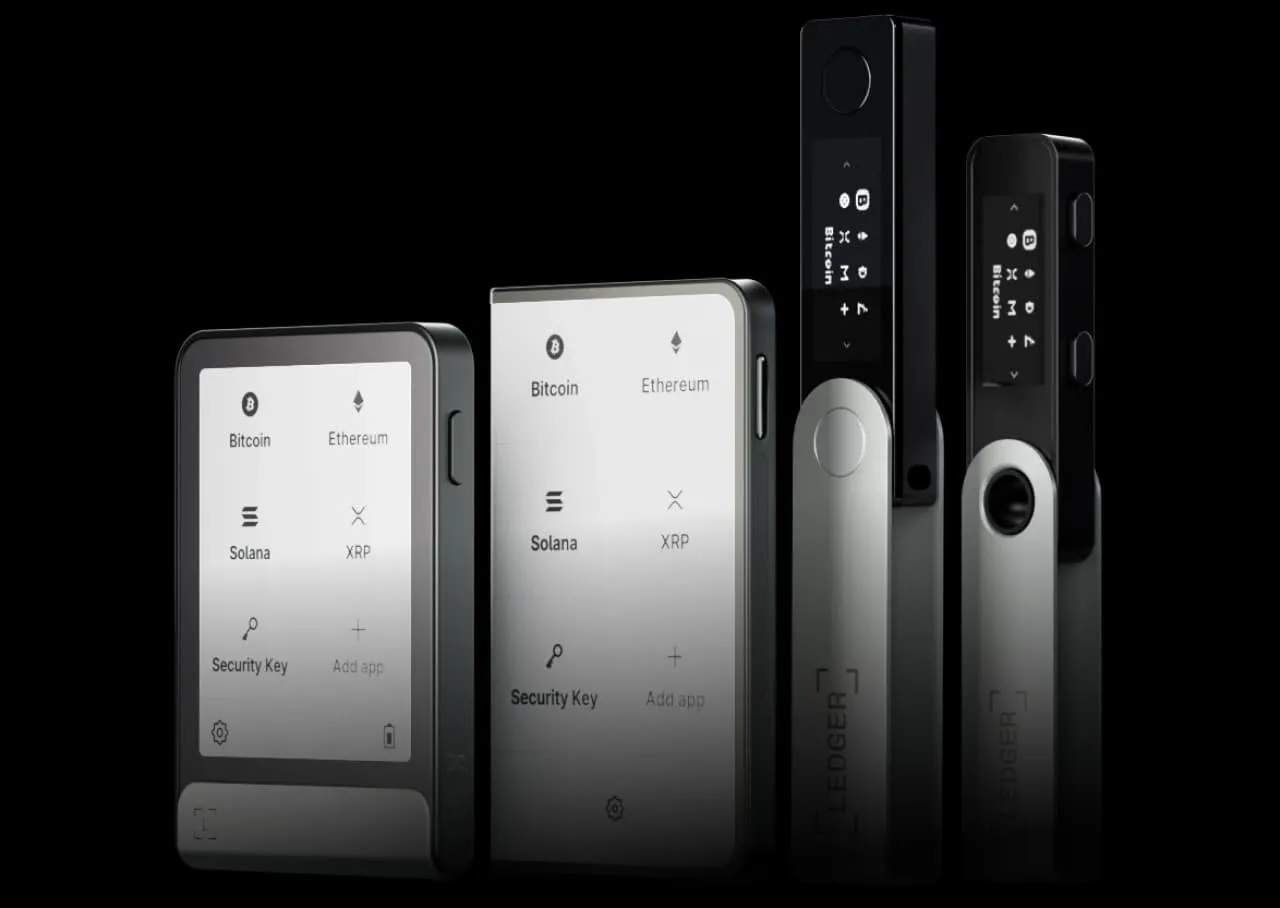
Image Source: Ledger – Ledger Wallet
Ledger Nano X represents the mature rise of hardware crypto wallets and pairs bank-grade security with mobile accessibility through Bluetooth connectivity. The device operates as a physical backup signer that keeps private keys offline within a certified Secure Element chip [3] and protects assets from remote hacking attempts that plague software-based solutions.
Key Features
The Nano X houses an ST33J2M0 Secure Element certified to CC EAL5+ standards [7], the same security level found in passports and credit cards. This chip stores your private keys and executes all cryptographic operations without ever exposing sensitive data to connected devices [5]. A dual-core STM32WB55 microcontroller manages connections between your phone or computer and the Secure Element and acts as a relay [5].
Bluetooth 5.0 makes wireless pairing with iOS and Android smartphones possible [3], while USB-C connectivity supports desktop computers [14]. The internal 100mAh battery provides several hours of active use and weeks on standby [7], though the device functions when plugged in whatever the battery status. The battery carries a five-year lifespan without replacement options [15].
Asset support spans 5,500+ cryptocurrencies and tokens [7] and includes Bitcoin, Ethereum, USDT, Solana and thousands more [3]. The device accommodates up to 100 apps installed at once [14] and removes the constant app deletion that plagued earlier models. This capacity suits users who manage diverse portfolios spanning Layer-1 chains, Layer-2 networks, DeFi positions and NFT collections.
Security features include Clear Signing to prevent costly transaction errors and Transaction Check to detect common scams [3]. The Trusted Display screen shows true transaction details [3] and requires physical button approval before any signature occurs. The Secure Element displays accurate information and blocks unauthorised transactions even if your smartphone, computer or Bluetooth connection were compromised [5].
The Bluetooth implementation uses numeric comparison pairing to prevent man-in-the-middle attacks [5]. Both the Nano X and your device display matching codes during setup, with AES-based encryption securing all subsequent communications [5]. Private keys never leave the Secure Element [5]. Only public data travels via Bluetooth. You can disable Bluetooth and rely on USB-C alone if wireless connectivity raises concerns [5].
Pros and Cons
|
Pros |
Cons |
|
CC EAL5+ Secure Element keeps keys offline [7] |
Battery has five-year lifespan with no replacement [15] |
|
Supports 5,500+ crypto assets and tokens [7] |
Closed-source firmware prevents independent audits [16] |
|
Bluetooth and USB-C connectivity [3] |
Two-button interface less accessible than touchscreens [16] |
|
Up to 100 apps installed at once [14] |
Priced higher than entry-level hardware wallets [11] |
|
Clear Signing and Transaction Check features [3] |
Device closes during extended use [16] |
|
Works with Ledger Wallet app for portfolio management [3] |
Calldata display format sort of hard to verify [16] |
Pricing
The Ledger Nano X retails at AUD 227.82 [7] and includes a USB-C cable. Bundle discounts appear during sales events when you purchase multiple devices [7]. Ledger charges no ongoing subscription fees for wallet functionality [7].
Best For
The Nano X suits active traders holding AUD 765 to AUD 1,529 or more who want mobile portfolio access without sacrificing security [7]. The device serves users who manage 10+ assets spanning multiple chains, DeFi protocols and NFT collections and benefit from expanded app capacity [7]. Bluetooth connectivity especially appeals to iOS and Android users who require on-the-go transaction signing [7]. But beginners with modest holdings may find better value in the cheaper Nano S Plus, while open-source purists preferring auditable firmware should get into alternatives like Trezor [7].
Trezor Safe 5 – Best Entry-Level Hardware Wallet
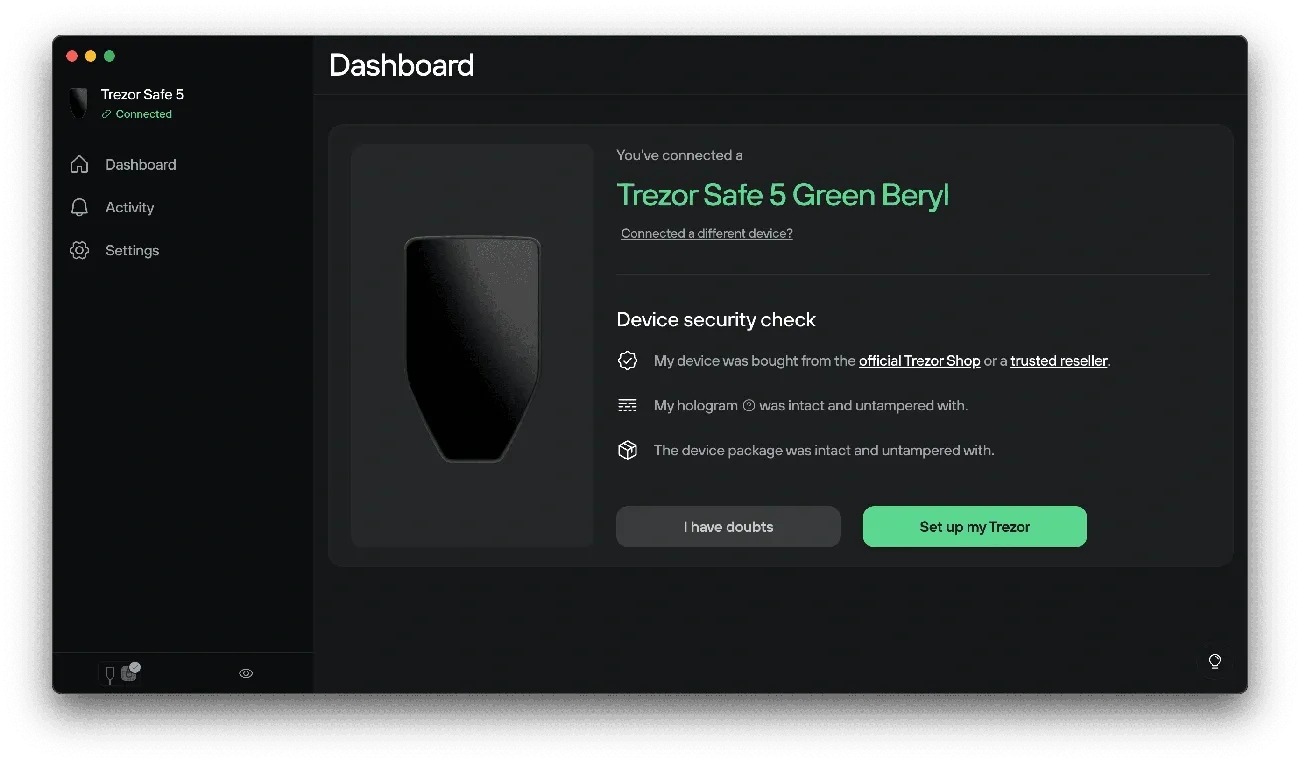
Image Source: Trezor
Trezor pioneered hardware crypto wallets over a decade ago. The Safe 5 brings that security expertise to an entry-level device with a 1.54-inch colour touchscreen and haptic feedback [17]. Released in June 2024 [8], this wallet targets users who want hardware protection without the complexity of button-based navigation.
Key Features
The Safe 5 employs an NDA-free EAL 6+ Secure Element chip [1]. It matches enterprise-grade security standards while Trezor’s open-source transparency remains intact [10]. The 240×240 pixel touchscreen uses Gorilla Glass 3 for scratch resistance [17] and makes transaction approvals easier than traditional two-button interfaces.
Multi-share Backup capability distinguishes this hardware crypto wallet from simple seed phrase storage [1]. Based on SLIP-39 standard, this feature splits your recovery phrase into multiple shares with customizable thresholds and eliminates single points of failure. Standard 12-, 20-, and 24-word backup options remain available [17].
Asset support spans over 7,000 cryptocurrencies and tokens [10], though Solana requires third-party wallet connections like NuFi [10]. The device has a microSD card slot for encrypted PIN storage [10] and USB-C connectivity [17]. It weighs just 23 grammes [17]. Integration with Trezor Suite desktop and mobile apps provides portfolio management, staking, and exchange functions [1].
Pros and Cons
|
Pros |
Cons |
|
Colour touchscreen simplifies navigation |
Limited iOS functionality (view-only) [18] |
|
EAL 6+ Secure Element with open-source code |
No Bluetooth connectivity [18] |
|
Multi-share Backup reduces recovery risks |
Higher price than Safe 3 alternative [18] |
|
Supports 7,000+ digital assets |
Solana requires external wallet workarounds [10] |
|
Gorilla Glass durability for daily carry |
Touchscreen requires more physical space than buttons |
Pricing
The Trezor Safe 5 retails at USD 129 [19] and positions itself between software wallets and premium hardware alternatives among the best crypto wallets available.
Best For
The Safe 5 suits first-time hardware wallet buyers who prioritise user-friendly interfaces over advanced features. The touchscreen appeals to users transitioning from mobile crypto wallets who value familiar navigation patterns. Users requiring extensive Solana ecosystem access or preferring smaller form factors should assess alternatives.
Phantom – Best Crypto Wallet for Solana
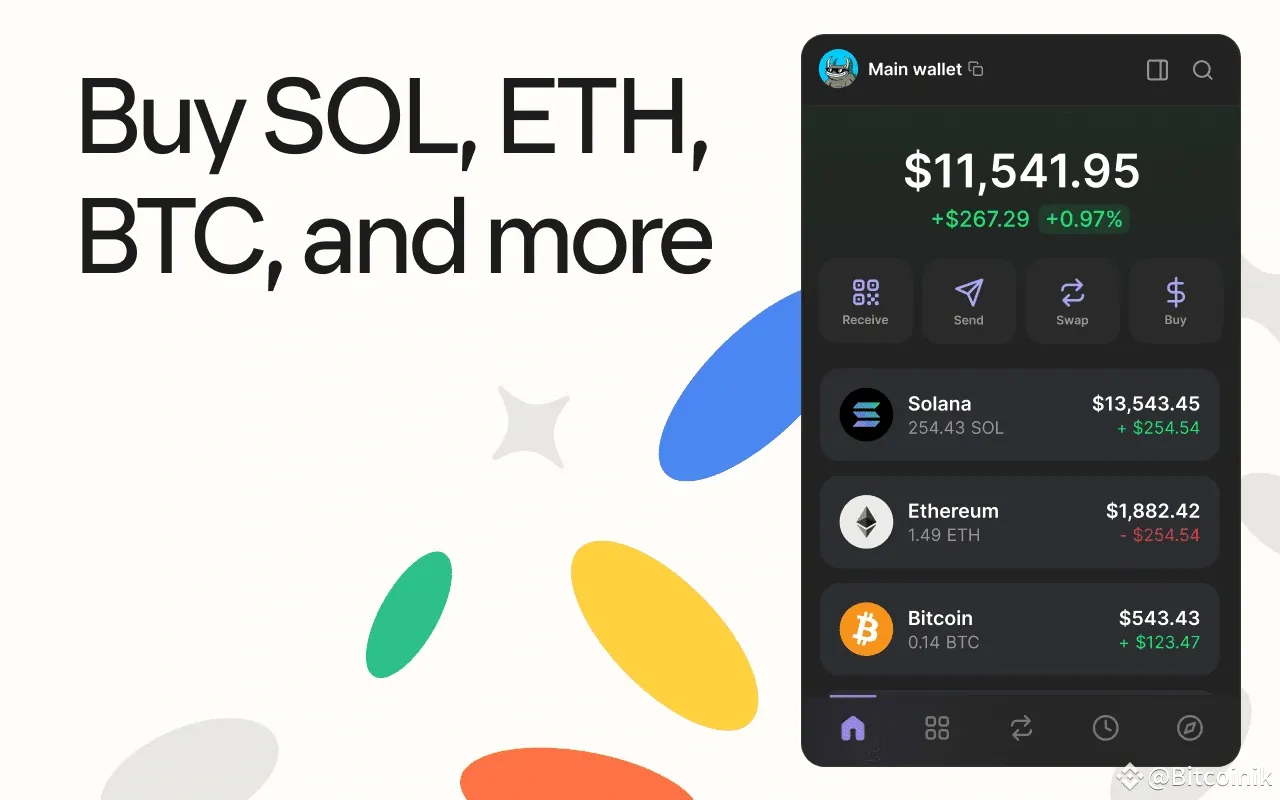
Image Source: Binance
Built for Solana users, Phantom has drawn over 15 million active users [6] since launch. It’s now several years old and has become the leading non-custodial wallet for the Solana ecosystem. The wallet now supports Bitcoin, Ethereum, Base, Sui, and Monad [6] among other features with its native Solana focus. It offers optimised multi-chain asset management.
Key Features
Phantom offers Token Pages that display trending tokens within its community, market capitalization, and trading volume metrics [6]. The Crosschain Swapper converts tokens between blockchains with low fees [6] and handles the technical complexity of cross-chain transfers.
Native SOL staking and liquid staking options through Marinade’s mSOL [20] generate passive income without locking liquidity. PSOL liquid staking delivers up to 7% APR [21] and competes with staking protocols that have been around longer. Built-in swaps powered by Jupiter [20] enable fast token exchanges without external platforms.
Security measures include scam detection for malicious transactions and an open-source blocklist for phishing sites. Transaction previews powered by Blowfish [22] add another layer of protection. The wallet went through code audits by Kudelski Security [6] and supports Ledger hardware wallet integration [20].
Pros and Cons
|
Pros |
Cons |
|
Solana-optimised with 15M+ users [6] |
Limited multisig support for institutional needs [20] |
|
Supports 7 blockchain networks [21] |
Advanced customization options lacking [20] |
|
PSOL liquid staking yields 7% APR [21] |
No native staking for non-Solana tokens [23] |
|
24/7 global support team [24] |
Newer compared to MetaMask [23] |
|
Ledger hardware integration [20] |
Focus on consumer use cases [20] |
Pricing
Phantom charges no fees for downloads or storage [25][21]. Swap transactions incur a 0.85% fee [26], and network fees vary by blockchain [27]. Solana transactions cost less than 0.000005 SOL [27].
Best For
Phantom serves Solana DeFi participants, NFT collectors, and users who prioritise speed over Ethereum alternatives. The wallet suits those managing Solana-native assets who interact with other chains from time to time. This makes it a strong choice among the best crypto wallets for ecosystem-specific needs.
Comparison Table
|
Wallet |
Supported Assets |
Supported Blockchains |
Security Features |
Platform Availability |
Wallet Type |
Key Fees |
Notable Features |
Best For |
|
Exodus |
260+ cryptocurrencies |
50+ blockchain networks |
Non-custodial, 12-word recovery phrase, hardware wallet integration (Trezor, Ledger), local key storage |
Windows, macOS, Linux, iOS, Android, browser extension |
Software wallet (hot wallet) |
Free download/storage; swap fees 2-5%; network fees apply |
Swaps built in, staking (ADA, SOL, ATOM, ETH), NFT management, 24/7 support |
Multi-chain investors who value simplicity, moderate asset values, weekly transactions |
|
Zengo |
180+ cryptocurrencies, tokens, NFTs |
Multiple chains including Ethereum |
MPC technology (no private keys), 3FA recovery (email, cloud backup, 3D FaceLock), zero hacks since 2018 |
iOS, Android (mobile-first) |
Software wallet (keyless) |
Free download/storage; swap fees average 2.2%; purchase fees 6.6-12.51% (standard), 2%+ (Pro) |
No seed phrase, Legacy Transfer (Pro), flexible staking (no lockup), Web3 firewall (Pro) |
Beginners intimidated by seed phrases, users who prioritise security, estate planning |
|
Trust Wallet |
10 million+ assets, 600 million+ NFTs |
100+ blockchains including Bitcoin, Ethereum, BNB Smart Chain, Solana, Polygon |
Non-custodial, AES encryption, biometric authentication, Security Scanner, hardware integration (Ledger) |
iOS, Android, browser extension (mobile-centric) |
Software wallet (hot wallet) |
Free download/storage; fiat purchase fees 3.5-5.5%; network fees apply |
dApp browser built in, Gas Sponsorship (4 free swaps daily), staking (3-8% APY on 20+ assets), up to 15 wallets |
Mobile users, DeFi/Web3 explorers, multi-chain portfolio management, frequent traders |
|
MetaMask |
500,000+ tokens |
Ethereum, EVM-compatible networks (Polygon, Arbitrum, BNB Chain), Solana (SOL and SOL-based tokens), Bitcoin via Snaps |
Non-custodial, local key storage, hardware wallet integration (Ledger, Trezor, NGRAVE), open-source, Snaps marketplace |
Chrome, Firefox, Brave, Edge, Safari extensions; iOS, Android |
Software wallet (hot wallet) |
Free for standard use; swap fee 0.875%; 15% fee on staking rewards; 1% fiat markup |
Portfolio dashboard, Smart Transactions, Smart Accounts, MetaMask Card (1% cashback), Snaps for modular functionality |
Heavy DeFi users, NFT traders, multi-network explorers, Ethereum ecosystem participants |
|
Ledger Nano X |
5,500+ cryptocurrencies and tokens |
Multiple chains including Bitcoin, Ethereum, Solana |
CC EAL5+ Secure Element chip, offline key storage, Clear Signing, Transaction Check, Trusted Display |
iOS, Android (via Bluetooth), desktop (via USB-C) |
Hardware wallet (cold storage) |
AUD 227.82 device cost; no subscription fees |
Bluetooth 5.0 and USB-C connectivity, 100 apps at once, 100mAh battery (5-year lifespan) |
Active traders with AUD 765-1,529+, mobile portfolio access, 10+ assets across chains, DeFi and NFT collectors |
|
Trezor Safe 5 |
7,000+ cryptocurrencies and tokens |
Multiple chains (Solana requires third-party wallet) |
EAL 6+ Secure Element, open-source, Multi-share Backup (SLIP-39), 12/20/24-word backup options |
Desktop and mobile via Trezor Suite app; USB-C connectivity |
Hardware wallet (cold storage) |
USD 129 device cost |
1.54-inch colour touchscreen, haptic feedback, Gorilla Glass 3, microSD card slot, 23 grammes |
First-time hardware wallet buyers, users who transition from mobile wallets and prioritise an easy-to-use interface |
|
Phantom |
Not specified (Solana-focused) |
7 blockchains: Solana, Bitcoin, Ethereum, Base, Sui, Monad |
Non-custodial, scam detection, open-source blocklist, transaction previews (Blowfish), Ledger integration, audited by Kudelski Security |
Browser extension, iOS, Android |
Software wallet (hot wallet) |
Free download/storage; swap fee 0.85%; network fees vary (Solana <0.000005 SOL) |
Token Pages, Crosschain Swapper, native SOL staking, PSOL liquid staking (7% APR), Jupiter-powered swaps, 24/7 support |
Solana DeFi participants, NFT collectors, Solana-native asset management, users who prioritise speed |
Conclusion
Selecting the right crypto wallet depends on your specific requirements and technical comfort level. Security-conscious holders might pair software wallets with hardware devices. Active traders who need mobile access will balance this against convenience.
Zengo eliminates seed phrase vulnerabilities for newcomers. Phantom delivers optimised performance for Solana enthusiasts.
Your ideal solution from these best crypto wallets emerges from evaluating asset values and transaction frequency in the blockchain ecosystems you use regularly. We recommend starting with one wallet that matches your primary use case. You can expand your setup as your portfolio grows and diversifies across different networks and protocols.
References
[1] – https://trezor.io/guides/trezor-devices/trezor-safe-5/introduction-to-the-trezor-safe-5?srsltid=AfmBOor7U9KhRBkzqxLkPS44QcobNhUDpcsLmCN_gbMlcR4cXGtLrsgL
[2] – https://cointracking.info/blog/trust-wallet-vs-metamask
[3] – https://shop.ledger.com/products/ledger-nano-x?srsltid=AfmBOoqFmBxZZndQdmX2zqariMG97wlWIzpWdcua9_f-wepsnXyR6BPM
[4] – https://coinbureau.com/review/metamask-review
[5] – https://www.ledger.com/ledger-nano-x-bluetooth-security-model-of-a-wireless-hardware-wallet
[6] – https://phantom.com/learn/crypto-101/best-solana-wallet
[7] – https://coinbureau.com/review/ledger-nano-x
[8] – https://trezor.io/guides/trezor-devices/trezor-safe-5/trezor-safe-5-faqs?srsltid=AfmBOooStjhF51tYE3qRy3e2wUwIl_E0S1eHlGcdpLIo4hdTL__P6kbt
[9] – https://support.metamask.io/manage-crypto/metamask-card/limits-and-fees/
[10] – https://decrypt.co/317598/trezor-safe-5-review-hardware-crypto-wallet
[11] – https://thecryptomerchant.co.uk/blogs/resources/ledger-nano-x-review-2023-pros-cons-comparison
[12] – https://coincub.com/wallets/metamask/
[13] – https://en.wikipedia.org/wiki/MetaMask
[14] – https://www.officeworks.com.au/shop/officeworks/p/ledger-nano-x-crypto-wallet-matte-black-ldnanoxbk
[15] – https://www.investopedia.com/ledger-nano-s-vs-x-5188903
[16] – https://patrickalphac.medium.com/top-9-cryptocurrency-hardware-wallets-for-2025-security-researcher-review-9fcb16d771e0
[17] – https://trezor.io/trezor-safe-5?srsltid=AfmBOorWd8fIXvmnZG9p2sfRNenGnnnKDPvNTte3QPf2oV3rLP2sYCYj
[18] – https://www.finder.com.au/cryptocurrency/wallets/trezor-safe-5-wallet-review
[19] – https://trezor.io/guides/trezor-devices/trezor-safe-5/get-started-with-the-trezor-safe-5?srsltid=AfmBOooWfdlDMn5XSyN9YyvF1y2KY5qXcaoonAq4Fxg-T8cBuERlPJvt
[20] – https://coinbureau.com/analysis/solflare-vs-phantom
[21] – https://www.coingecko.com/learn/ultimate-guide-to-solana-phantom-wallet
[22] – https://nftnow.com/guides/how-to-set-up-and-use-phantoms-solana-wallet/
[23] – https://www.moonpay.com/en-au/learn/cryptocurrency/what-is-phantom-wallet
[24] – https://phantom.com/
[25] – https://cryptoslate.com/crypto-wallets/phantom-wallet-review/
[26] – https://www.finder.com.au/cryptocurrency/wallets/phantom-wallet-review
[27] – https://help.phantom.com/hc/en-us/articles/44032849295379-About-gas-network-fees